Drupal
Drupal 7 Tutorial: Using Breakpoint Panels
Learn how to use Breakpoint Panels in Drupal 7 to show different content at various screen sizes in this detailed tutorial.
Learn how to use Drupal contextual filters in Views to dynamically alter your content based on URL information in this detailed tutorial.

This article is one of Metal Toad's Top 20 Drupal Tips. Enjoy!
It can take a while when you're new, but once you start to wrap your head around Views, that is when Drupal gets really fun. In this tutorial, I'll go over how to use Contextual Filters in Views to alter your content dynamically based on information in the URL. If you're a visual learner, you can skip to the video at the end of this post for a detailed walk through of the process.
In this example, have page of cat photos. It's made with a standard view that pulls from content type 'Animals' and then narrows it down with a standard filter based on a Species taxonomy list.
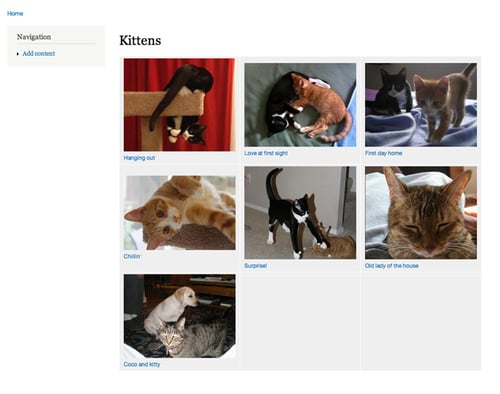
Drupal Contextual Filters allows us to filter content based on dynamic information. It doesn't always have to come from the URL, but that is the most common example. Here's how you do it.
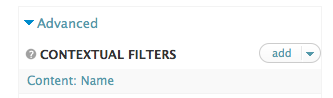
In the Advanced tab of your view, click 'add' next to Contextual filters. I want to filter on the name of the animal, so I do a search to narrow down the choices and then choose the name field.
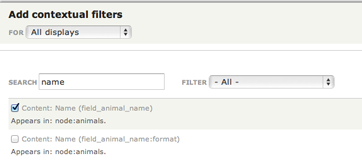
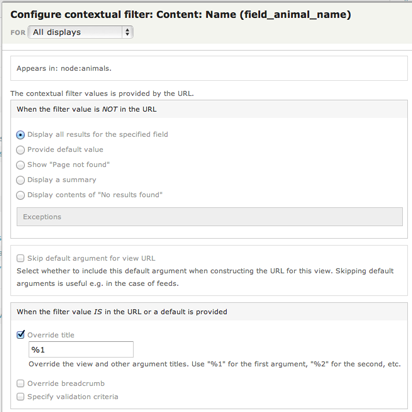
Now you have some options, the two most important being:
In the first case, I've chosen to just display all the results as normal. In the second case, I've overridden the title of the view and replaced the Previous title 'Kittens' with the actual name of the animal by using the placeholder '%1' which tells Drupal to take the first filter (previously known as 'arguments') in the URL and use it as the title as well. Using '%2' would take the second argument (if there is one) and so on.
You can test your filter by typing it into the preview window and hitting 'Update Preview'.
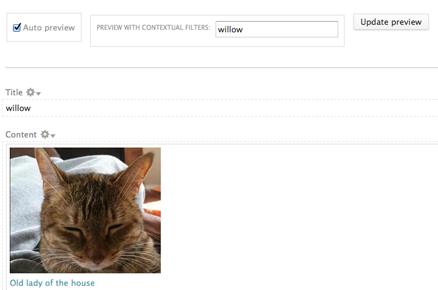
If your results narrow to your satisfaction, save the view, then try it out on the page. We should be able to go to sandbox/kittens/[name] and have just one pet show up. Kinda like this:
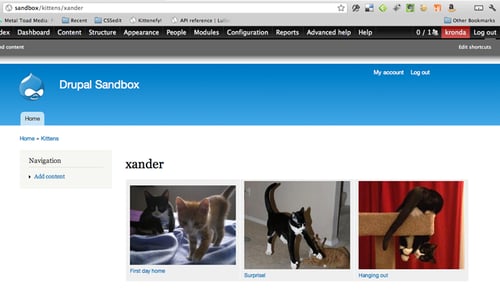
Isn't Xander cute?
Pat yourself on the back and have a celebratory cupcake. You're one step closer to Views mastery in Drupal.
Learn how to use Breakpoint Panels in Drupal 7 to show different content at various screen sizes in this detailed tutorial.
Writing compelling content for marketing purposes can be a daunting task.
Learn how to use the Draggable Views module in Drupal to create custom drag-and-drop sorting functionality for your content types.