Custom Sort Drupal Content with the Draggable Views Module
In the world of sorting, sometimes 'newest first' or 'oldest first' just doesn't cut it. During a recent Drupal project, we had a client who wanted to be able to control the order of their marquee images in random ways via a drag and drop interface. Enter the Draggable Views module. In about thirty minutes, I was able to set up custom drag and drop functionality for several content types on their site. Let's dive in and I'll show you how it's done. If you prefer a video tutorial, skip to the end of this post.
In the world of sorting, sometimes 'newest first' or 'oldest first' just doesn't cut it. During a recent Drupal project, we had a client who wanted to be able to control the order of their marquee images in random ways via a drag and drop interface.
Enter the Draggable Views module. In about thirty minutes, I was able to set up custom drag and drop functionality for several content types on their site. Let's dive in and I'll show you how it's done. If you prefer a video tutorial, skip to the end of this post.
Before You Begin
Make sure you have the lastest version of Views and also download the Draggable Views module.
The trick to getting the magic to happen is setting up two cooperative views. The first view shows your content in whatever way you have determined. The second view is created strictly to determine the order of that content.
Views Keeps Improving
In the time since I first used this module just a few weeks ago, the module has been upgraded to allow for using a different display on the same view, rather than two separate views, which makes matters even more tidy.
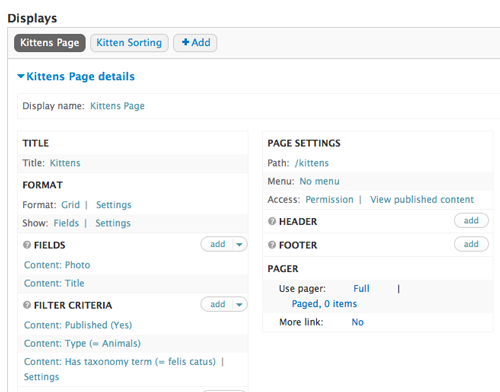
In my example, I started with my trusty page of kitten photos, created by this view:
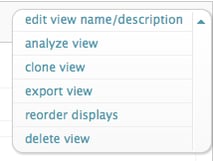
From here you can just clone the original view and make a few changes:
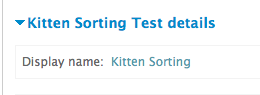
Rename the display to differentiate it from the normal content view.
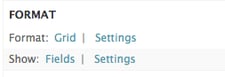
Change the Format setting to 'Table'. Remember to override the default view if your original setting is different.
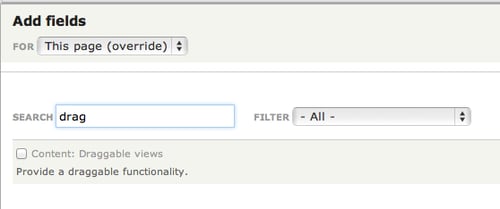
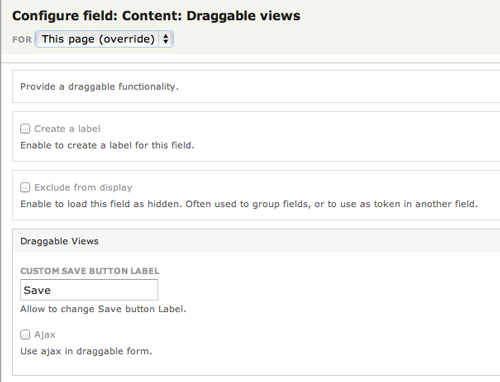
Under Fields, add the draggable views field that will determine the sorting order.
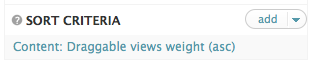
Under Sort Criteria, remove the default sort option and replace it with Draggable views weight
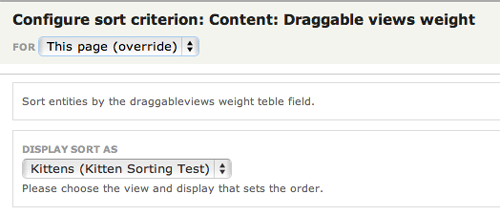
Now go back to your original content view. Under Sort Criteria, add the Draggable Views weight just like you did in the sort display. This time, in the options you should see 'Display Sort As'. Choose the sorting view you created. Any other sorting views you create will populate the drop-down list here. (Don't forget to use the override setting so you don't affect the sorting view settings).
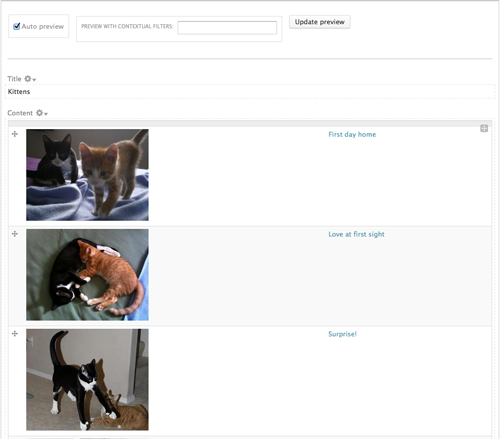
You should see a preview of your table view with the draggable weights on the far left.
You can reorder the rest of the fields to suit your needs. I like to put the photo first, since that is the easiest to recognize.
Meet Jake. Jake administers a Drupal site. Jake is not a developer, nor does he want to be. Jake does not care about field formatters, image styles,...
Metal Toad Staff
May 19, 2013
Get notified on new marketing insights
Be the first to know about new B2B SaaS Marketing insights to build or refine your marketing function with the tools and knowledge of today’s industry.